Quick verdict: Figma MCP is the right choice for teams with established design systems and existing Figma workflows. paper.design is the choice for designer-developer hybrids, solo founders, and anyone building AI-first workflows where agents need to both read and write to the canvas. The tools have almost nothing in common beyond the “MCP” label.
| Figma MCP | paper.design | |
|---|---|---|
| Best for | Mature design teams with design systems | AI-first builders, designer-developer hybrids |
| Canvas | Proprietary SVG | HTML/CSS — designs are code |
| MCP direction | Primarily read-only | Bidirectional (read + write) |
| MCP tools | 3 core tools | 24 tools (11 read, 8 write, 5 utility) |
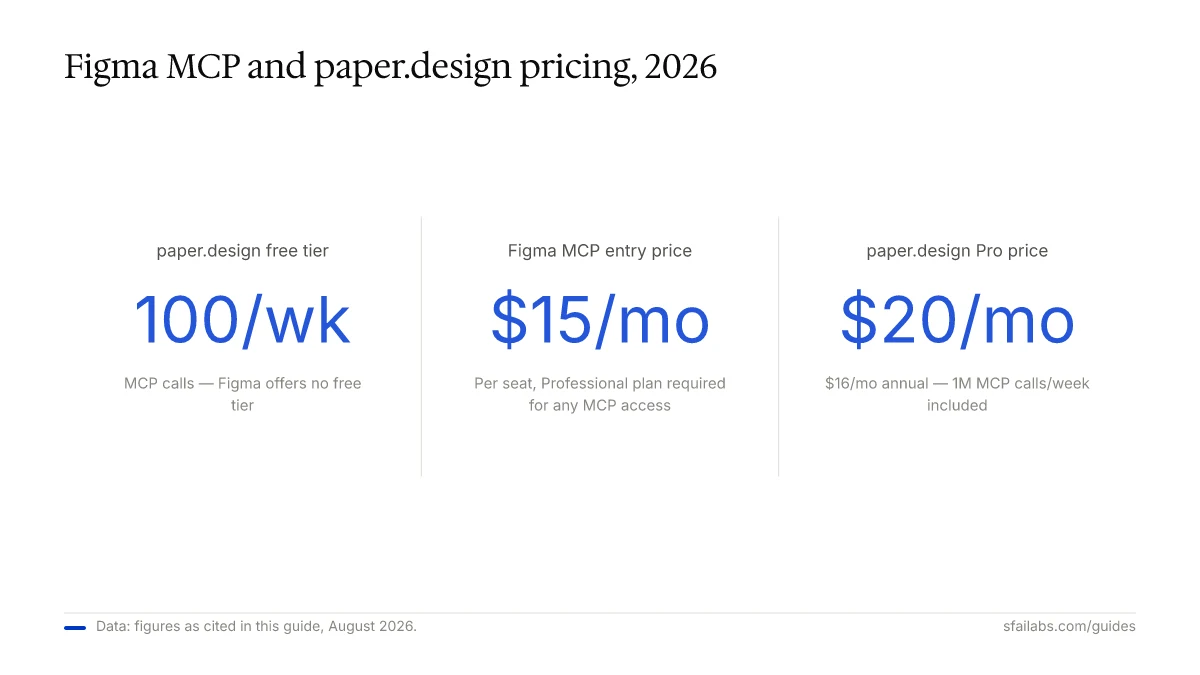
| Free tier | No (requires Professional plan) | Yes — 100 MCP calls/week |
| Pro pricing | $15/seat/month + AI tool subscription | $20/month (1M calls/week) |
| Maturity | Production-ready (beta MCP server) | Open alpha |
What Each Tool Is
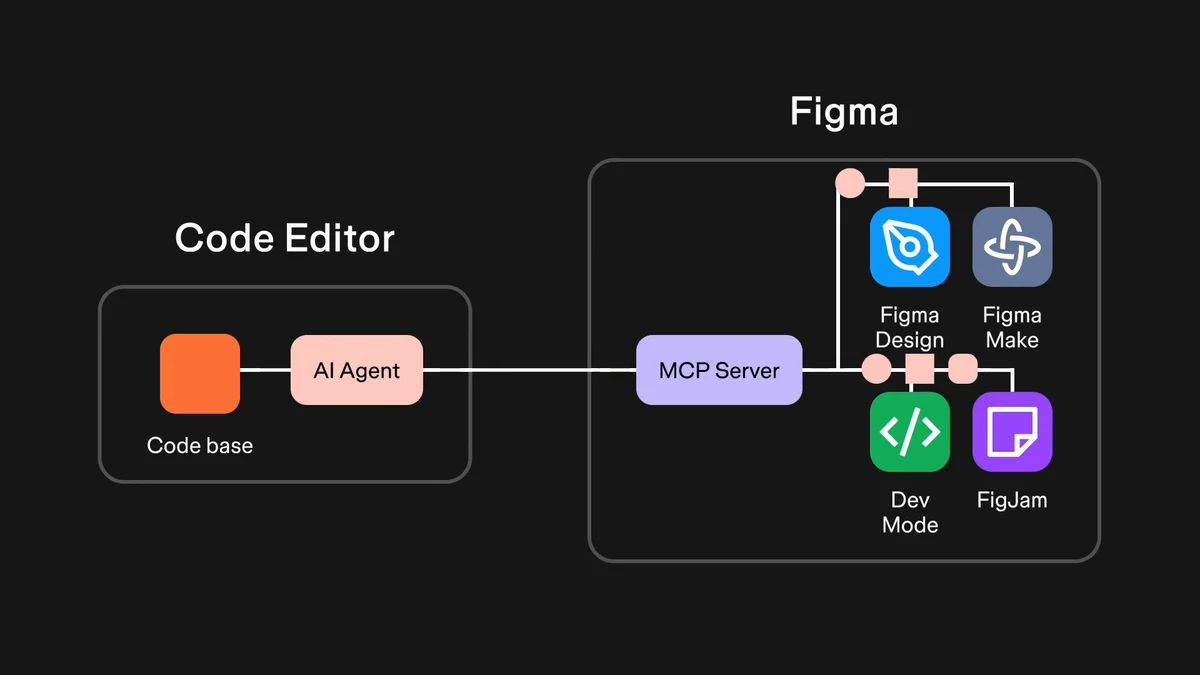
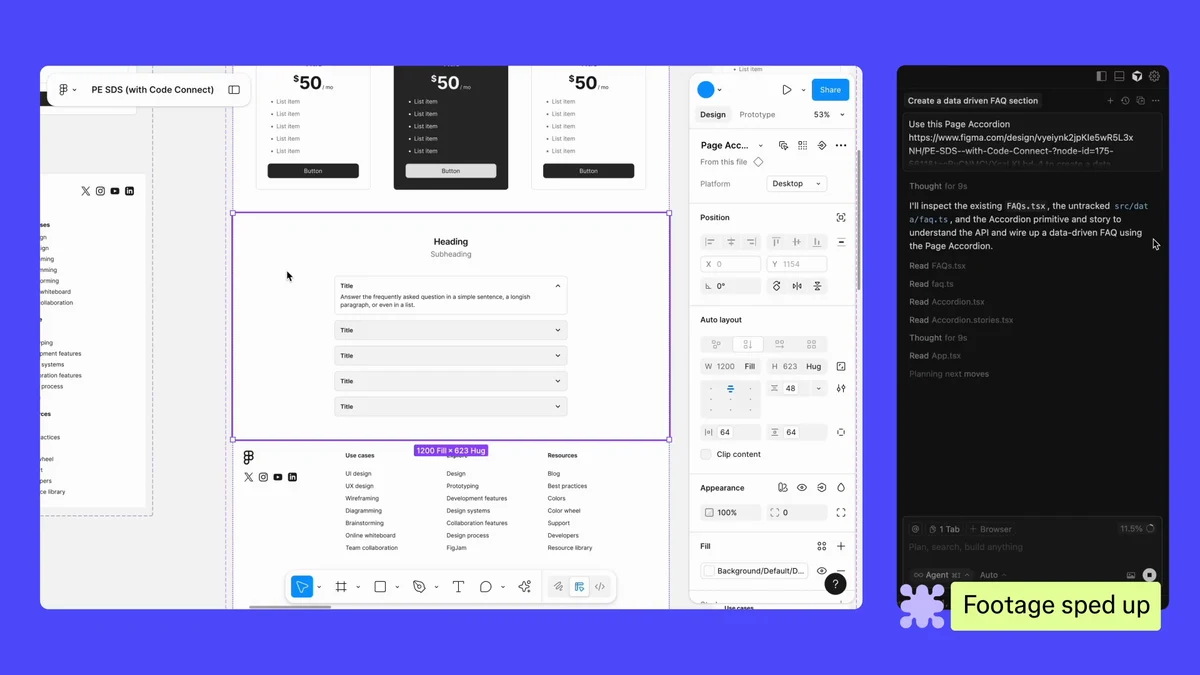
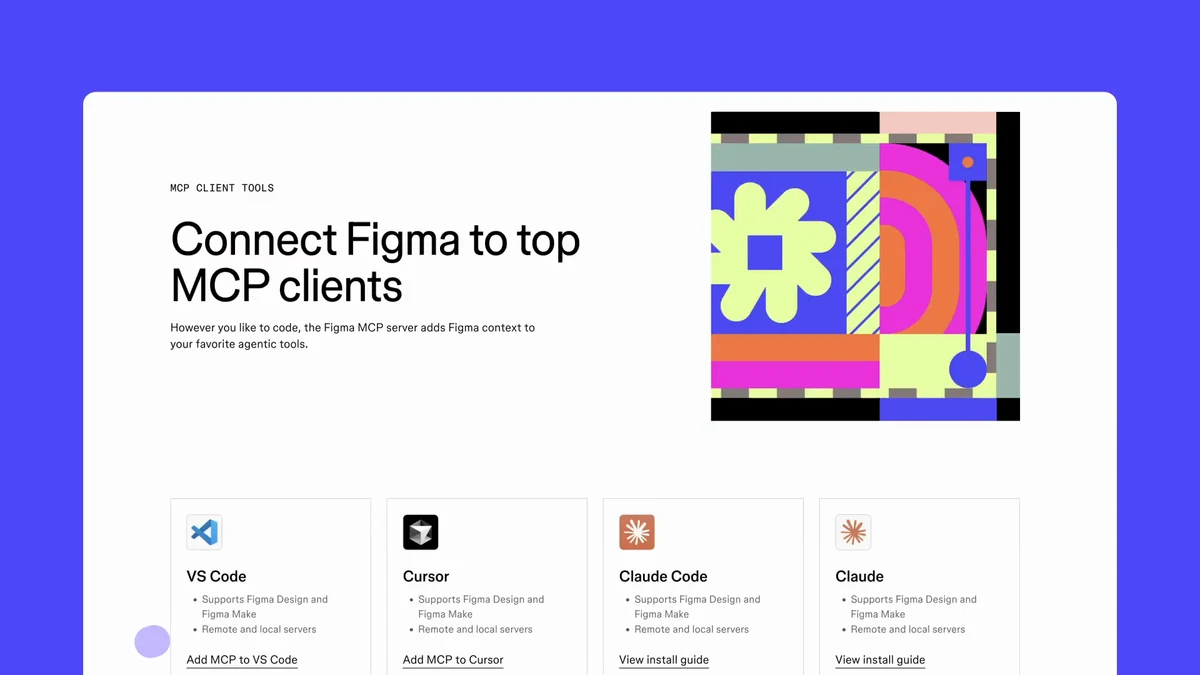
Figma is a decade-old design tool used by most product design teams. Its MCP server, launched in beta, bridges Figma design files to AI coding tools like Claude Code, Cursor, and VS Code Copilot. The server sends structured context to your AI agent: component trees, design tokens, layout constraints, variable definitions. The agent then generates code using that context alongside your existing codebase.
paper.design is a new design tool built on a completely different foundation. Instead of Figma’s proprietary SVG-based canvas, paper.design uses real HTML and CSS. What you design visually is actual code — there’s no conversion step, no translation layer, no handoff gap. Created by Stephen Haney, it’s currently in open alpha and has built its own MCP server with 24 tools that support bidirectional agent access.
The important distinction: Figma MCP gives AI agents a window into your Figma file. paper.design MCP gives agents a steering wheel.
The MCP Architecture Gap
This is the comparison that matters most for AI-powered workflows.
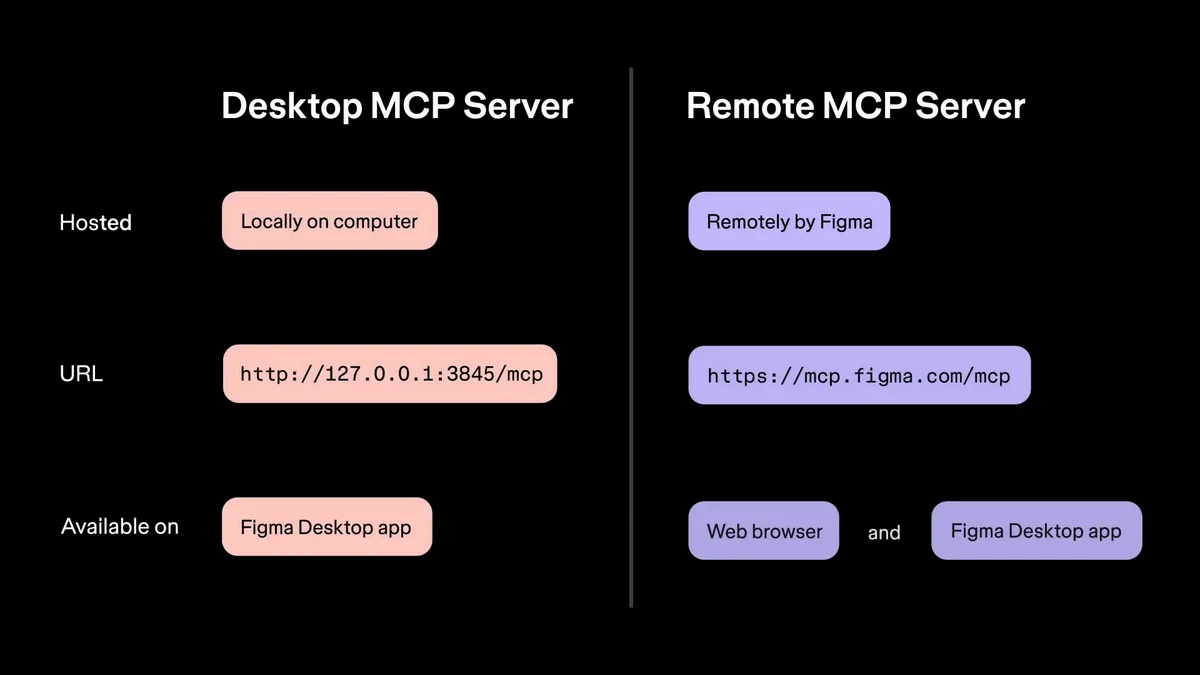
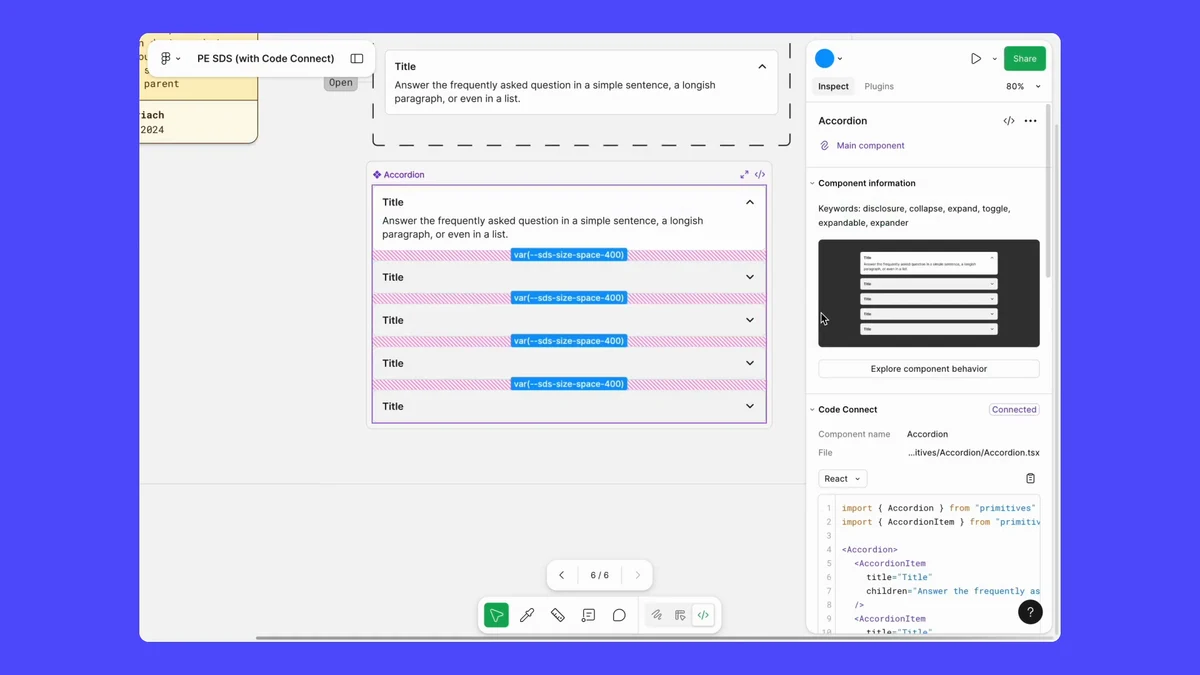
Figma’s MCP server exposes three core tools: one for layout data, one for images, and one for variable definitions (color tokens, spacing scales). It is primarily read-only. Agents consume design context and generate code. When teams invest in Code Connect (mapping actual codebase components to their Figma counterparts), the server can return real import statements and component usage patterns. Without Code Connect, output quality drops significantly. AI coding tools like Cursor vs GitHub Copilot handle the generation differently, but the quality floor is set by how well the Figma file is structured.
paper.design’s MCP server exposes 24 tools split into read operations (get_selection, get_jsx, get_screenshot, get_computed_styles), write operations (create_artboard, write_html, set_text_content, update_styles, rename_layer, duplicate_node, delete_node), and utility operations. Setup is a single command:
claude mcp add paper --transport http http://127.0.0.1:29979/mcp --scope userThe bidirectional write capability changes what agents can do. An agent in Claude Code or Cursor can sync design tokens from your codebase into the canvas, populate UI frames with real API data, convert a design to React/Tailwind and commit to GitHub, or generate responsive variations across breakpoints, all via natural language instructions. Figma MCP doesn’t offer this. Figma’s “Code to Canvas” integration (which sends code back to Figma as editable frames) exists as a separate feature, but it’s not part of the MCP server itself.
We’ve worked with teams using both approaches. The Figma workflow produces more polished results faster when the design system is mature and Code Connect mappings exist. The paper.design workflow removes an entire category of friction for teams where the designer and developer are the same person, or close enough to it.
Canvas Architecture: Why It Matters for Code Quality
Figma’s canvas stores designs as a proprietary node tree. SVG-based, optimized for visual fidelity and design system management. When the MCP server extracts this data for an AI agent, the agent has to translate Figma’s node model into web code — and that translation is lossy. Experienced developers report 85-90% styling inaccuracy in the current beta. The generated code works as a scaffold, not a finished product. Manual correction is the norm.
paper.design’s canvas stores designs as actual HTML and CSS. There’s no translation step because there’s nothing to translate. When you get JSX from a paper.design node via the MCP’s get_jsx tool, you’re getting the code that already represents what you designed. GPU-rendered effects like Halftone CMYK, Grain Gradient, Liquid Metal, and Mesh Gradient are built natively into the canvas. Agents can read and adjust these through MCP parameters, not plugins.
One caveat worth stating plainly: paper.design is open alpha. Figma has ten years of stability, collaboration features, component management, and design system tooling that paper.design hasn’t built yet. The code output is cleaner by design, but the design environment is significantly less mature.
Pricing Comparison
| Plan | Figma MCP | paper.design |
|---|---|---|
| Free | None | $0 — 100 MCP calls/week |
| Professional | $15/seat/month (required for Dev Mode) | — |
| Pro | — | $20/month ($16/month annual) — 1M calls/week |
| Enterprise | $45/seat/month | Organizations tier (coming soon) |
| AI tool | +$20-50/month (Claude Code, Cursor, etc.) | Included in Pro |
Solo builders will feel the free tier gap first. paper.design’s free plan allows 100 MCP tool calls per week, enough to evaluate the workflow seriously. Figma’s MCP requires a Professional plan ($15/seat/month) before you can access Dev Mode and use the server at all.
For a solo designer-developer using paper.design Pro + Claude Code, the total cost is around $40-50/month. The equivalent Figma setup (Professional seat + Claude Code) runs about $35-45/month, but that comparison ignores the Code Connect setup time — a day or more for a medium-sized component library — that doesn’t exist in paper.design.
Who Should Choose Figma MCP
Choose Figma MCP if your team already uses Figma and has no plans to switch design tools. The MCP server adds genuine value when:
- You have a functioning design system in Figma with consistent component naming and variable usage
- Your team uses AI coding tools and you’re in the build phase (past concept validation)
- You have the engineering bandwidth to invest in Code Connect setup, and the ROI compounds as design system coverage increases
- You need the full Figma ecosystem: version history, branching, organization-level collaboration, advanced prototyping
Figma MCP is additive. It makes an existing Figma workflow faster without requiring you to change how you design. The 85-90% inaccuracy problem is real, but it’s improving — and the teams seeing the most benefit are the ones who invested in Code Connect before touching MCP, not after.
Who Should Choose paper.design
Choose paper.design if you’re building an AI-first workflow from scratch and your team is small. It makes the most sense when:
- You’re a designer who writes code, or a developer who designs
- You want agents to read and directly modify your designs through natural language, not just generate code from a static snapshot
- You’re starting a new product and don’t have an existing Figma design system to migrate
- You want GPU-rendered effects (shaders, gradients, mesh) that agents can manipulate directly
- You’re comfortable being an early adopter of open alpha software
The tool is genuinely new. Components, collaboration, and advanced prototyping are still developing. If you’re a 10-person product team with a design system built over years, paper.design is not ready for your workflow. If you’re a solo founder or a two-person team building something AI-native, it might be the most interesting design tool available right now.
Frequently Asked Questions
What’s the actual difference between Figma MCP and paper.design’s MCP?
Figma’s MCP server gives AI agents read access to your Figma file: component trees, design tokens, layout constraints. paper.design’s MCP server gives agents read and write access to an HTML/CSS canvas. The Figma server has 3 core tools. paper.design’s server has 24. The practical difference: with Figma MCP, your agent generates code based on what Figma knows. With paper.design MCP, your agent can also modify the design directly: sync tokens, populate content, generate variations.
Does paper.design replace Figma?
Not yet, and probably not for most teams in 2026. paper.design is in open alpha and lacks the collaboration features, component management depth, and design system maturity that Figma has built over a decade. What it offers is a different architectural bet: a code-native canvas that removes the design-to-code translation layer. For teams with existing Figma workflows, switching costs outweigh the benefits. For teams starting fresh with small headcounts and AI-first intentions, paper.design is worth taking seriously.
Is paper.design free to use?
paper.design has a free tier with 100 MCP tool calls per week. That’s enough to evaluate the tool but not enough for production use with active agent workflows. The Pro plan is $20/month ($16/month on annual billing) and includes 1 million MCP calls per week plus video export and unlimited storage. Organizations tier (SAML/SSO, admin controls) is coming soon.
Does paper.design export React or Tailwind code?
paper.design’s get_jsx MCP tool returns JSX output for any node. Because the canvas is HTML/CSS, the output maps naturally to React and Tailwind. Agents can convert designs to React/Tailwind and commit directly to GitHub via agent instructions. The quality of output is generally better than Figma MCP because there’s no proprietary format to translate: the design is already code.
Is paper.design stable enough to use for client work?
For client-facing production work with strict delivery requirements, wait until paper.design exits open alpha. The tool is actively developed (see their public build log at paper.design/build-log) and the team is moving fast, but open alpha means APIs can change, features can break, and support options are limited. For internal tooling, prototypes, or small teams with tolerance for rough edges, it’s usable today.
Key Takeaways
- Figma MCP is a context bridge: it sends design information to AI agents that generate code. paper.design MCP is a two-way interface: agents read and write to a code-native canvas.
- Figma wins on maturity, ecosystem, and team collaboration. paper.design wins on MCP depth, code output fidelity, and workflow integration for small AI-first teams.
- The pricing difference matters for solo builders: paper.design has a free tier, Figma MCP requires a paid plan before you can start.
- Which MCP is better depends entirely on whether you’re optimizing an existing Figma workflow or building an AI-first design workflow from scratch. That question determines which tool belongs in your stack.
If you’re evaluating agentic AI development tools more broadly, the same principle applies: the best tool is the one that fits your current workflow stage, not the most technically impressive one.
SFAI Labs


